You are mid-sentence. Chat is scrolling. Someone slurs. Someone pastes a crypto link. Someone asks a real question. You cannot read all of it and stay on camera.
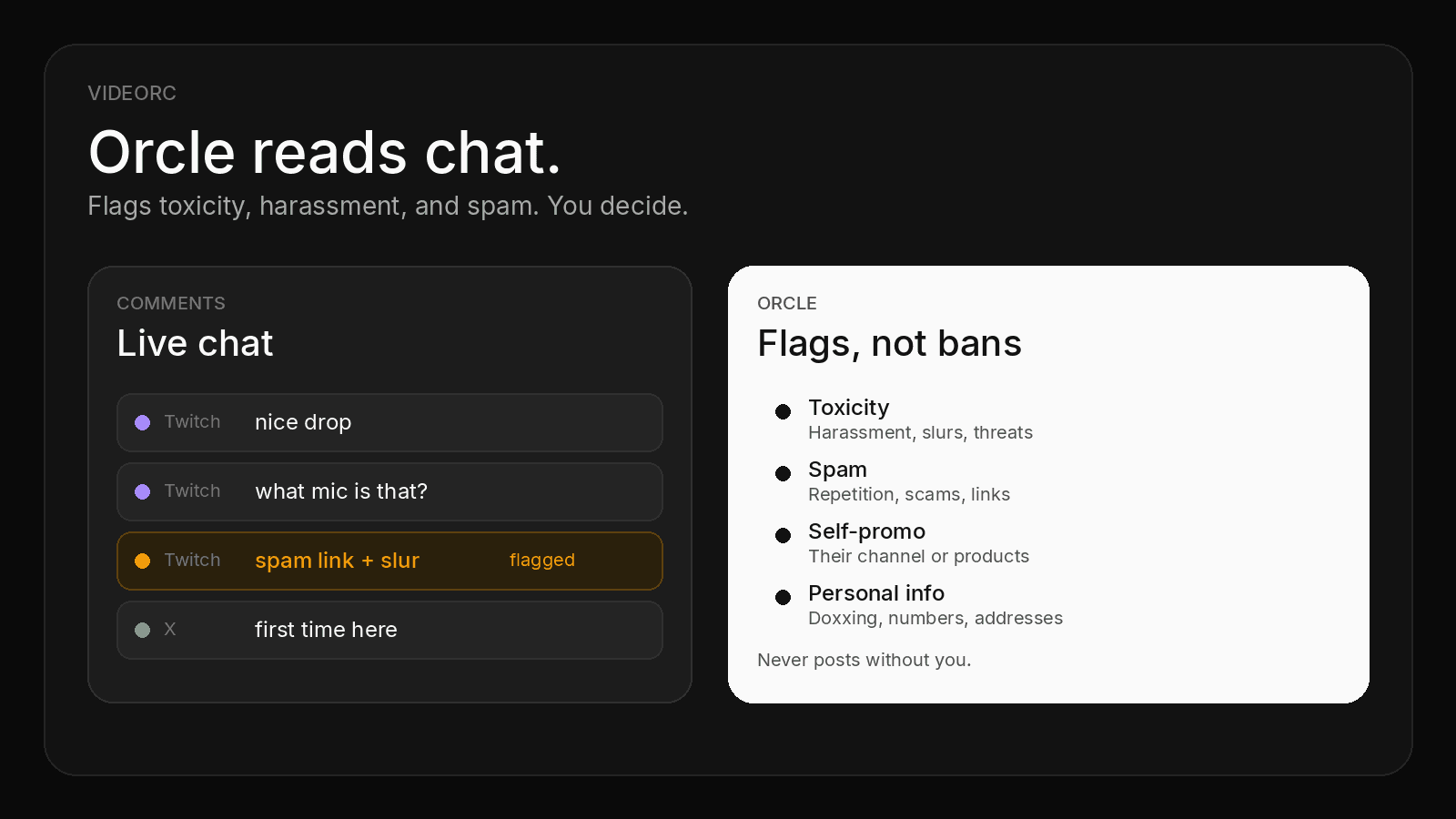
Orcle is Videorc’s live chat co-host. It reads the Comments window, surfaces questions, and flags toxic content, harassment, and spam. It does not post. It does not ban. It prepares what you need next.
TL;DR
- Orcle watches public chat while you stream and flags problems. You stay in control.
- Flags: toxicity (harassment, slurs, threats), spam (repetition, scams, suspicious links), self-promo, and personal info.
- It skips ordinary banter and mild profanity. It is not a promise of perfect auto-bans.
- It only reads chat Videorc already shows. Twitch today. X rolling out. YouTube chat is not in Comments yet.
- Premium alpha, off by default, consent required. Multistream to five destinations stays free.
Chat goes toxic while you talk
A solo stream has no spare pair of eyes. One destination is already a lot. Five destinations is five chats, or at least more places people can pile on while you look at the preview.
Orcle sits in that gap. It is a producer for the chat, not a second streamer. The desktop sends short batches of public messages. Orcle returns flags, open questions, and a mood read. You keep talking.
It never posts to chat without you. A flag is a look, not a timeout, not a ban, and not a claim that every bad line will be caught.
What it flags, and what it leaves alone
Orcle’s flag kinds are narrow on purpose:
- Toxicity: harassment, slurs, threats.
- Spam: repetition, scams, suspicious links.
- Self-promo: viewers pushing their own channel or products.
- Personal info: doxxing, phone numbers, addresses, private details.
It does not flag ordinary banter or mild profanity. A roast that stays in the room should stay in the room.
It also groups real questions so five people asking the same thing become one item with a suggested reply you can send, edit, or ignore.
What it is not
Orcle is not a bot that “controls everything.” It does not sit in chat as a user. It does not run your mod queue. It does not promise a clean room.
Alpha means misses and false flags. A slur can slip. A joke can get marked. You, or a human mod, still own the room.
It only sees chat Videorc collects into the Comments window. Twitch is there today. X is rolling out. YouTube chat is not in that window yet, so Orcle cannot read it yet. TikTok and Instagram do not feed Comments either.
Setup
- Sign in and install Videorc on Mac or Windows. Check the download page for the current build on your OS.
- Add a destination that actually feeds Comments. Twitch is the one that does that today.
- Go live. Chat has to be moving before there is anything to read.
- Turn Orcle on and consent to process public chat with cloud AI. It is off by default.
- Watch flags and questions next to the preview. Send a reply only if you choose to.
Orcle is a Premium alpha feature. Busy chat is metered per day. If the control is missing from your build, that slice has not shipped there yet.
Videorc is available on Mac and Windows. Mac is the established beta. Check the download page for the current build on your OS, including whether Orcle is in that build.
More platforms, more chat
Multistream to five destinations is free on every plan. Premium does not buy a sixth platform. It buys the server-backed tools, including Orcle.
The catch is attention. One encode can leave your computer for Twitch, YouTube, X, and the rest. Chat does not stay that tidy. The platforms that feed Comments get louder as you add them. That is the light reason to want a co-host: more destinations, more lines you will not read live.
The per-platform setup lives in the multistream guide.
Honest limits
- Only public chat, only while you enabled it and gave consent. Batches are not kept after the response.
- Question text and suggested replies are English today, even if viewers write in another language.
- A spike can drop newer messages if the batch is full.
- You still need platform tools (Twitch timeouts, YouTube holds) for real enforcement.
FAQ
Does Orcle ban people automatically?
No. Orcle flags messages. It never posts to chat and it does not run timeouts or bans for you. You still decide.
What does Orcle flag?
Toxicity (harassment, slurs, threats), spam (repetition, scams, suspicious links), self-promo, and personal info (doxxing, phone numbers, addresses). It skips ordinary banter and mild profanity.
Does Orcle read chat on every platform I multistream to?
It reads chat that Videorc already shows in the Comments window. Twitch is there today. X is rolling out. YouTube chat is not in that window yet. More destinations still means more chat to watch, which is why a co-host helps on the platforms that do feed chat.
Is Orcle free if multistream is free?
Orcle is a Premium alpha feature. Multistream to five destinations stays free on every plan. Premium does not buy more platforms.
Does this work on Windows today?
Videorc is available on Mac and Windows. Orcle is a Premium alpha feature. Check the download page for the current build on your OS.