
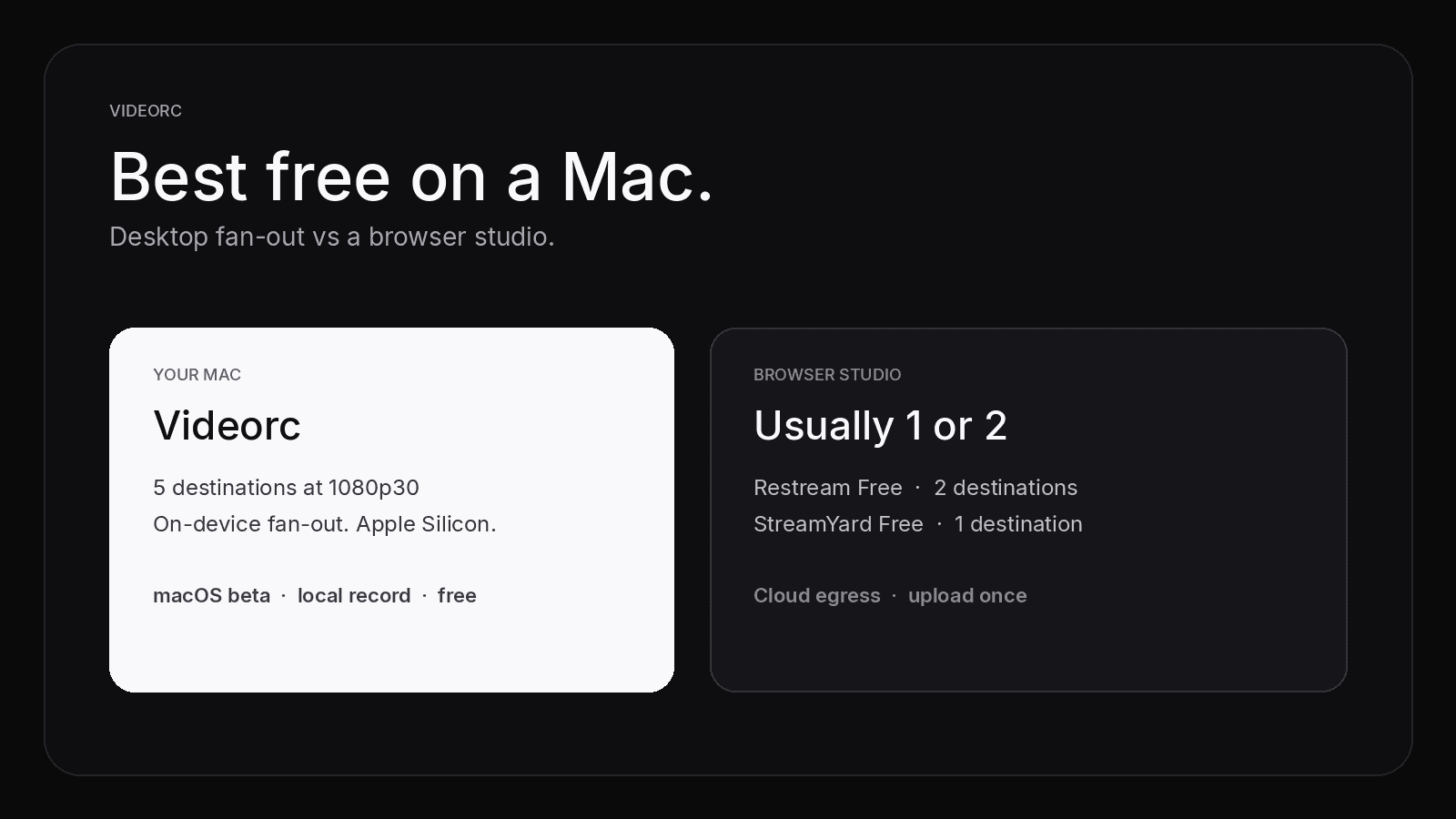
You just bought a Mac, or you already record on one, and you want to go live on more than one platform without paying Restream. “Best free multistream Mac” and “multistream Mac free” are shopping queries. The free-cap table already lives in the comparison post. This page is who each option is for on macOS, and what actually breaks on Apple Silicon.
The short version: browser studios upload once and cap free at one or two destinations because they pay the egress. Desktop apps copy the encode on your machine. That is why a Mac can do more destinations at $0, and why the upload bill is yours.
TL;DR
- Best free multistream Mac software depends on install vs browser, and on how many copies leave your NIC.
- Videorc’s macOS beta: free local recording, free multistream up to 5 at 1080p30, on-device fan-out.
- Restream Free does 2. StreamYard Free does 1 (no free multistream). Streamlabs Dual Output is one horizontal plus one vertical. OBS plus a plugin is DIY. Caps checked Sep 2026; see the free-cap map for the table.
- Premium on Videorc is 4K, captions, and AI publish. Not more destinations.
- Apple Silicon is not a detail. Intel Macs, Rosetta, and mismatched plugins are how desktop setups fail.
- Setup steps live in the multistream guide.
Who this guide is for
Buy this stack if you are Mac-first and you want a real destination list, not a trial.
- You have (or just bought) an Apple Silicon Mac and you want three to five platforms live at once without a cloud invoice.
- You want local recording beside the stream, on the computer you already own.
- You will paste a stream key. You do not need guests in a browser studio.
Use a browser studio instead if you want zero install, one upload, and you are fine with one or two destinations. Use OBS if the plugin ecosystem is the product. This page will not talk you out of those. It will tell you which Mac you need, and which tool matches the job.
Videorc is also available on Windows. This page is the Mac-buyer guide. Check the download page for the current Windows build.
Desktop vs browser on a Mac
The split is architecture, not branding.
A browser studio (Restream Studio, StreamYard) takes one inbound encode in their data center and fans it out from there. You upload once. They pay to send N copies. That is why free tiers stop at 1–2, and why Facebook Pages or custom RTMP often sit on paid plans. Checked Sep 2026: Restream Free is two channels with branding; StreamYard Free is one destination and no multistream. If a plan page moved, trust the architecture. Cloud egress is the invoice.
A desktop app on your Mac (Videorc, OBS, Streamlabs Desktop) copies the encode on the machine in front of you. The vendor is not billed per destination. Five RTMP cards is ordinary work. The trade-off is upload: every copy leaves your NIC.
Streamlabs Dual Output sits in the middle. Free is one horizontal canvas plus one vertical canvas. Same-orientation pairs and three-plus destinations are Ultra. Useful for TikTok beside Twitch. Not five independent RTMP cards.
If you only need the numbers, read Free Multistream Compared. The rest of this page is the Mac-buyer piece those rows leave out.
Desktop fan-out sends the same 1080p30 frame to every destination. Different bitrates or layouts per platform are a different product. Dual Output is the exception: two canvases, two orientations.
Apple Silicon friction
Videorc’s production beta is Apple Silicon on macOS 13 or later. An Intel Mac is not this product. That is the first filter, not a footnote.
OBS has a native Apple Silicon build. The friction is the plugin. A multi-RTMP plugin must match the app architecture. Intel OBS plus an ARM plugin (or the reverse) loads nothing. Recent OBS updates also push Intel-on-ARM installs toward the Apple Silicon app, which then drops Intel-only plugins. Gatekeeper will block an unsigned .pkg. The software is free. The afternoon you spend matching builds is not.
Streamlabs Desktop ships an Apple Silicon build. Dual Output still encodes two canvases locally. Expect more Electron weight than a thin desktop studio. If your MacBook is already warm from a camera and a browser, that second canvas is the thing that fans.
Browser studios skip the plugin stack. They also skip your VideoToolbox encoder. Any Mac with Chrome can open the tab, including an Intel machine Videorc will not install on. That is the honest reason a new Mac buyer still opens StreamYard: no disk image, no permission prompts beyond the browser, no architecture mismatch.
Permissions are the other Mac-only tax. Desktop apps need Screen Recording, camera, and microphone in System Settings. A browser studio asks the tab. Neither is hard. Both fail silently if you click Don’t Allow and keep going.
Bandwidth on a Mac
Cloud tools sell “upload once.” On a desktop encoder, budget the free 6000 kbps ceiling per destination.
- Two destinations: about 12 Mbps of steady upload, plus headroom.
- Five destinations: about 30 Mbps of steady upload, plus headroom.
- Wired beats Wi-Fi. On a MacBook that means USB-C or Thunderbolt Ethernet, not “the café has good Wi-Fi.”
You encode once. The copies are sends. CPU headroom is mostly the one encode plus whatever Scene + camera + preview already cost. The NIC is the part that multiplies.
If you have 20 Mbps up, you do not have five healthy 6 Mbps streams. Use two destinations, or drop bitrate, or use a cloud relay and accept their free cap. The Twitch plus YouTube how-to walks the two-destination case.
Recommendation ladder
Start at the top. Stop when the job matches.
- Apple Silicon Mac, three to five destinations, local record. Videorc. Free multistream up to 5 at 1080p30. Fan-out stays on your machine. Premium is 4K streaming, live captions, and AI publish. Not more destinations.
- No install, two destinations, accept a watermark. Restream Free. You upload once. Custom RTMP and Facebook Pages are usually paid.
- No install, one destination, guests in a browser. StreamYard Free. Honest: no free multistream. Paid plans start the destination ladder.
- One horizontal plus one vertical. Streamlabs Dual Output on the Apple Silicon build. Same-orientation or 3+ is Ultra.
- Plugin ecosystem, unlimited DIY. OBS plus a free multi-RTMP plugin. Match Apple Silicon builds. Expect Gatekeeper and dock-hunting.
- Intel Mac. Browser studio or OBS. Not Videorc. The beta does not pretend otherwise.
Need the per-platform keys after you pick? How to multistream for free. TikTok LIVE Studio is still not a stream key; that wall is its own post.
What Videorc actually ships on a Mac
On the macOS beta, the site promise is:
- Local recording, including 4K capture, with no watermark and no time-limited trial.
- Multistream to up to five destinations at once at 1080p30.
- YouTube, Twitch, X, TikTok, Instagram, or any RTMP server, when that platform has given you a key.
A destination only exists if the platform issues ingest credentials. Videorc cannot mint a TikTok or Instagram key those apps never showed you.
Premium does not buy more destinations. Every plan has the same five-destination ceiling. Multistreams stay at 1080p30 on every tier. Premium is the single-stream quality ceiling (4K30 or 1080p60 where the platform accepts it), live captions, and the AI publish tools.
If a landing page ever reads like Premium unlocks “more platforms,” that page is wrong.
What this is not
This is not a second copy of the free-cap table, and it is not a claim that Videorc invented free multistream on Mac. It is a buyer guide for people choosing between a disk image and a browser tab.
Use Restream if one upload and their chat overlay are the product. Use StreamYard if the browser studio is the product. Use OBS if you want the plugin ecosystem and you will maintain it. Use Videorc if you want the destinations on your desktop, the recording library on the same Mac, and the code on GitHub.
FAQ
What is the best free multistream software for Mac?
If you have Apple Silicon and you want three to five destinations plus local recording, Videorc. If you want zero install and two destinations, Restream Free. If you want a browser studio for one destination, StreamYard Free. If you want horizontal plus vertical, Streamlabs Dual Output. If you want plugins, OBS. The comparison post has the cap table, checked Sep 2026.
Can I multistream for free from a Mac without Restream?
Yes. A desktop encoder fans out on your machine. On the Videorc macOS beta, two destinations sit well inside the free cap of five. OBS plus a free multi-RTMP plugin does it too. Restream is a relay in the middle; you do not need one for a Mac-side copy.
Does StreamYard Free work for multistream on Mac?
No. StreamYard Free is one destination. The browser tab runs on a Mac the same as anywhere else. Multistream starts on paid StreamYard plans. That is a cloud-egress cap, not a Mac limit.
What does Videorc Premium add if multistream is free?
A higher single-stream quality ceiling, live captions, and the AI publish tools. Not more destinations. Multistreams stay at 1080p30 on every plan.
Does this work on Intel Macs or Windows?
Videorc’s Mac production beta is Apple Silicon on macOS 13 or later. Intel Macs are not that product. Videorc is also available on Windows; check the download page for the current Windows build. This page is a Mac-buyer guide.
How much upload does a Mac need?
Budget 6000 kbps per destination on the free ceiling. Two destinations want about 12 Mbps of steady upload. Five want about 30 Mbps, plus headroom. Wired beats Wi-Fi.