
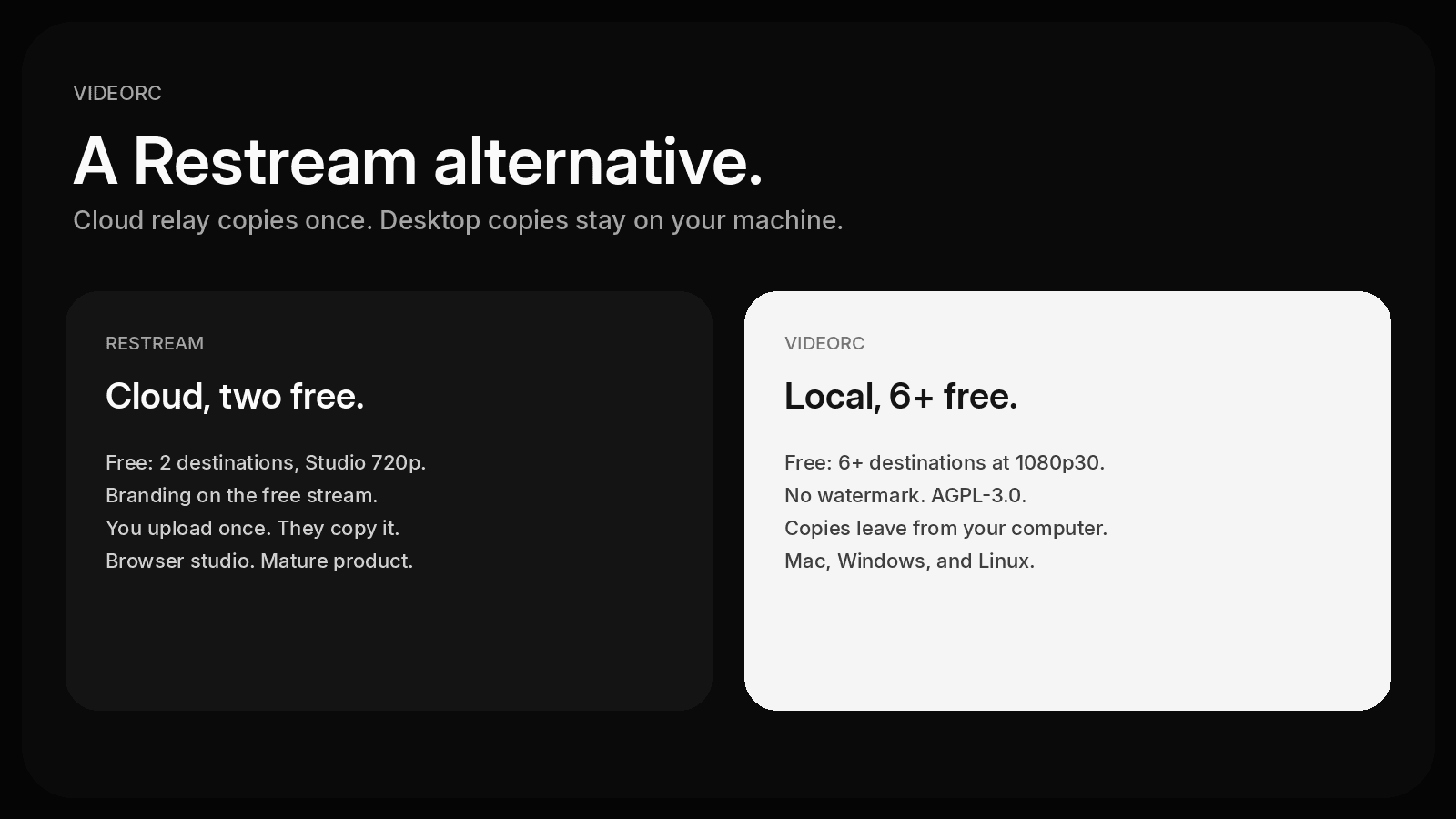
People search "Restream alternative" when Free stops at two destinations, when Studio adds branding, or when they do not want a cloud invoice for every extra copy. Videorc is a free Restream alternative that runs on your computer: an open-source desktop studio that copies the stream locally instead of in someone else's data center.
This is a fair comparison, not a takedown. Restream is the mature cloud product. Videorc is the Restream alternative open source path if you want 6+ destinations at 1080p30 without a per-destination fee.
TL;DR
- Restream Free: 2 destinations, Restream branding, Studio at 720p. Paid plans add channels and remove the watermark. Prices as of October 2026.
- Videorc: free multistream to 6+ destinations at 1080p30 on Mac, Windows, and Linux. No watermark. Open source, AGPL-3.0.
- Restream uploads once and copies in the cloud. Videorc copies on your machine, so each destination uses your upload.
- Stay on Restream if you want a browser studio, guests, unified chat, or you do not want to spend upload per destination.
- Premium on Videorc is live captions, Buddy, and Clean cut. Not more destinations. Not 4K streaming.
Quick comparison
Restream prices as of October 2026. Figures come from Restream's pricing page and the free-plan help article.
| Videorc | Restream | |
|---|---|---|
| Price | Free for recording and 6+ destinations. Premium is $39/mo, or $32.50/mo yearly. | Free $0. Standard $19/mo ($16/mo yearly). Professional $49/mo ($39/mo yearly). Business $239/mo ($199/mo yearly). |
| Free destinations | 6+ | 2. Facebook Pages and custom RTMP need a paid plan. |
| Resolution on free | 1080p30 multistream. A single stream can go 4K30 on YouTube. | Studio: 720p. Encoder (OBS and friends): up to 4K on every plan, including Free. |
| Watermark | None | Free includes Restream branding: a Studio watermark and/or a link in the description. Paid plans remove it. |
| Open source | Yes. AGPL-3.0, github.com/TheOrcDev/videorc | No |
| Desktop vs cloud | Desktop app. Copies leave from your computer. | Cloud relay. You upload once. Browser Studio, or send from OBS. |
| AI features | Premium: Buddy, live captions, Clean cut. Buddy is one-of-a-kind and exists only in Videorc. | Clips (AI shorts) is a paid add-on. Studio has AI background music on paid plans. |
Restream sells one upload. Videorc sells zero per-destination cloud fees. Five copies leave your NIC. If you have 15 Mbps up, you do not have five healthy 6 Mbps streams.
Why people look for a Restream alternative
Restream is good at what it is: a cloud relay plus a browser studio. The search usually starts when one of these hits:
- Free is two channels. A third destination is a paid plan. Facebook Pages and custom RTMP are paid too.
- Studio on Free is 720p, and the stream carries Restream branding.
- The paid ladder is real. Standard is 3 channels. Professional is 5 and 1080p Studio. Business is 8. That is a lot of money if you only wanted YouTube plus Twitch plus one more.
- Some people want the copies on their own machine, and the code on GitHub.
None of that makes Restream a bad product. It makes the free and mid plans a poor fit for a desktop encoder that can already send 6+ copies.
How Videorc compares
Videorc is a free, open-source (AGPL-3.0) desktop multistreaming studio and recorder. It runs locally on your computer. There are no per-destination cloud fees.
The free tier, where the current build supports it:
- Multistream to 6+ destinations at 1080p30.
- First-class cards for YouTube, Twitch, Kick, X, TikTok, Instagram, and custom RTMP. Facebook and LinkedIn are not first-class cards. A custom RTMP card works when that platform gives you a Server URL and stream key.
- Local recording, including system audio capture. No watermark and no trial timer.
- Available on Mac, Windows, and Linux. Mac is the established beta, and the most stable build. Windows and Linux are alpha.
Premium is $39/mo, or $32.50/mo yearly. It is live captions, Buddy, and Clean cut / AI tools. It is not more destinations. It is not 4K streaming. A single stream can already go 4K30 on YouTube on every plan. Multistreams stay at 1080p30 on every plan.
Buddy is a one-of-a-kind, user-named on-stream AI companion that you design. It exists only in Videorc.
The architectural split is the whole comparison. Restream takes one inbound encode and fans it out on their servers. You upload once. They pay to send N copies. That is why Free stops at two, and why you do not need extra upload for destination five.
Videorc encodes the scene once and copies it on the machine in front of you. The vendor is not billed when you add destination four. You are. Budget about 6 Mbps of steady upload per card, plus headroom. Five cards want about 30 Mbps. Wired beats Wi-Fi.
Restream is genuinely better when those cloud facts matter:
- It works from a browser. No install. Guests join a Studio link.
- It does not use your upload bandwidth per destination.
- It is mature: 30+ channels, unified chat, analytics, scheduled events, encoder ingest from OBS and friends.
- Encoder streams can stay at your chosen resolution, including 4K, even on Free. Studio resolution is the plan cap, not the encoder cap.
Videorc is the better Restream alternative when you want 6+ destinations without paying for the copies, local files, and an open-source desktop app. It is not a Studio clone. It will not host a six-person browser interview.
The wider free-cap map, including StreamYard and Streamlabs, lives in Free Multistream Compared. OBS plus a plugin is a different local path; that side-by-side is OBS vs Videorc for multistream.
Who each tool is for
Stay on Restream if any of these are true:
- You want one upload and a weak uplink.
- You go live from a browser, or you invite guests who should not install anything.
- You need first-class Facebook Pages, 30+ channel logos, unified chat, or Restream analytics.
- You already send OBS into Restream and like that split: local encode, cloud copies.
- You want a mature vendor, not an alpha desktop build on Windows or Linux.
Use Videorc if you want the destinations on your desktop and the code on GitHub:
- Free 6+ destinations at 1080p30, no watermark.
- Local recording and system audio on the same take.
- Custom RTMP without a paid relay plan.
- Buddy, live captions, and Clean cut later, if you want them. Destinations stay free either way.
Use OBS if the compositor and plugin catalog are the product. Use StreamYard if the browser studio is the product. Those are good reasons.
How to get started
- Create a free Videorc account and sign in to download.
- Install the current build for Mac, Windows, or Linux. Check the download page for what that OS supports today.
- Open Livestream and add a card per platform. Connect Twitch, Kick, or X. Paste a Server URL and stream key for YouTube, TikTok, Instagram, or any RTMP server.
- Preview the scene. Confirm camera, mic, and system audio if you need them. Press Go Live once.
The per-platform key list and the 6+ destination walkthrough live in the multistream guide.
FAQ
What is a free Restream alternative?
Videorc is a free Restream alternative: an open-source desktop studio that multistreams to 6+ destinations at 1080p30 with no watermark. Fan-out stays on your computer. Restream Free still does two destinations, with branding, from the browser or an encoder.
Is Videorc a Restream alternative open source?
Yes. Videorc is AGPL-3.0 and the code lives at github.com/TheOrcDev/videorc. Restream is a closed cloud product. Open source is the license, not a promise that every Restream feature exists here.
Does Videorc Premium buy more destinations?
No. The paid plan is live captions, Buddy, and Clean cut. Buddy is a one-of-a-kind, user-named on-stream AI companion that exists only in Videorc. 6+ destinations stay free at 1080p30 on every plan. The paid plan does not buy 4K streaming.
Who should stay on Restream?
Stay if you want one upload, a browser studio, guests in the same session, unified chat and analytics, or first-class Facebook Pages. Restream is the mature cloud relay. Videorc is the local encoder.
Does local multistream use more upload?
Yes. Each destination is a copy leaving your computer. Budget about 6 Mbps of steady upload per card, plus headroom. Restream copies in the cloud so you upload once.
Does this work on Windows and Linux?
Yes. Videorc is available on Mac, Windows, and Linux. Mac is the established beta, and the most stable build. Windows and Linux are alpha. Check the download page for the current build on your OS.