Orcle · Premium alpha
Orcle is a one-of-a-kind co-host AI
It does not exist in any other app. Only in Videorc. A co-host AI sits with you in Comments: it watches live chat, groups questions, flags problems, and drafts replies you approve, while you stay on camera.
Why Orcle exists only in Videorc
Does not exist in any other app
Orcle is a one-of-a-kind co-host AI. You will not find it in OBS, Restream, StreamYard, or anywhere else. It lives only in Videorc.
A producer, not a bot
It never posts to chat, never runs a timeout, and never bans. A flag is a look. A draft is a suggestion. You keep the room.
Watches chat while you talk
The Cohost pane sits above Comments, in the studio and in the detached window. It groups questions, flags problems, and prepares what you need next.
What a co-host AI does in Videorc
Orcle is a one-of-a-kind co-host AI. These are the jobs it actually runs in the Cohost pane, not a wishlist.
- 01
Groups the questions people are actually asking
Repeats collapse into one item with a suggested reply. Reply prefills the composer. You send it, edit it, or ignore it. Mark a question answered, or dismiss it.
- 02
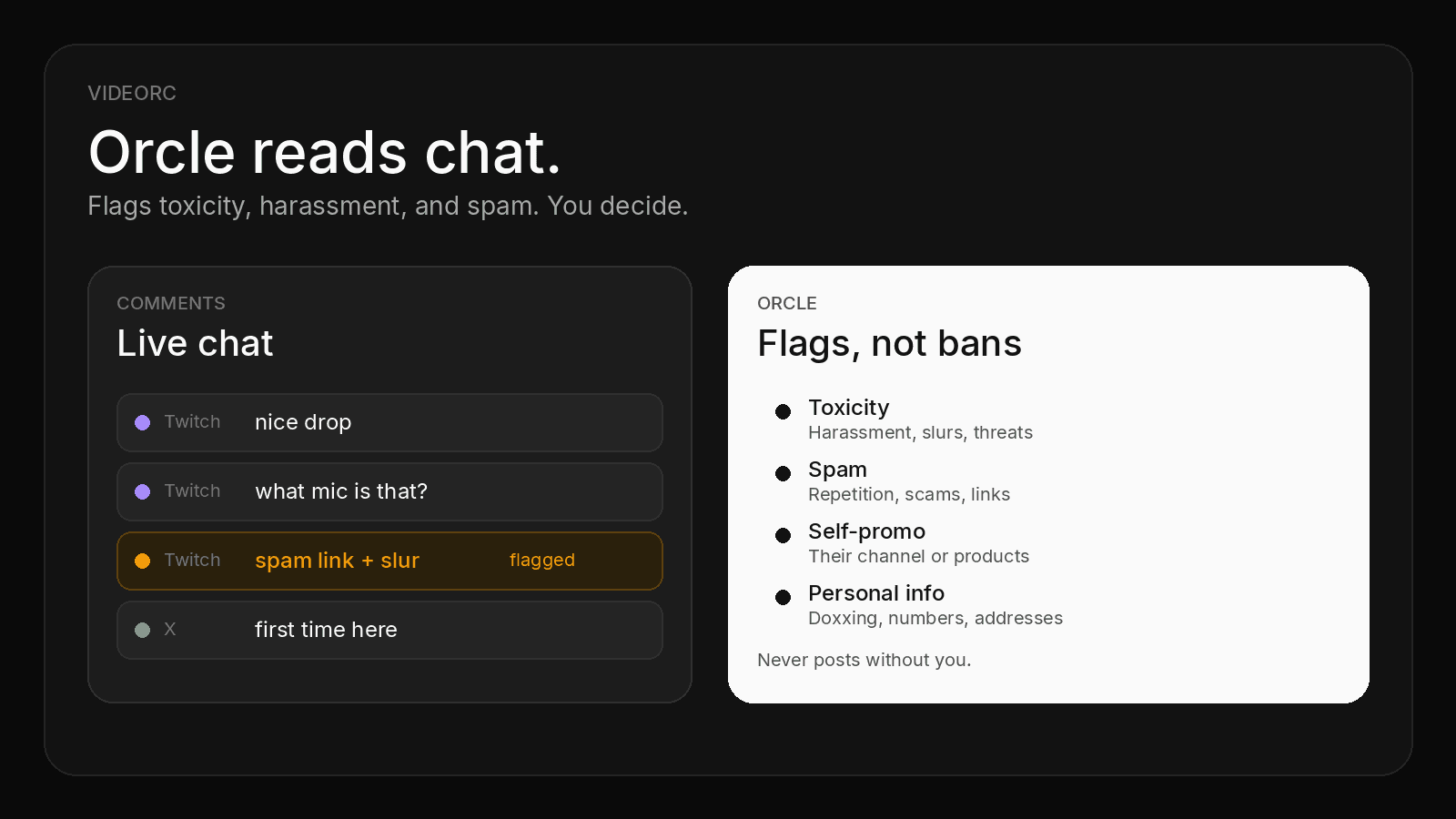
Flags the lines that need a look
Toxicity, spam, self-promo, and personal info. Add your own chat rules, like no spoilers. It skips ordinary banter and mild profanity. You still decide.
- 03
Knows when you answered on air
With listening on, Orcle matches what you say to open questions. It marks Talking about this while you answer, then resolves the question when you actually did. Restore it if the call was wrong.
- 04
Hears you while you are live
Optional. Your microphone goes to Videorc cloud speech-to-text, even with live captions off. Servers do not keep the audio. If you record, the transcript stays on your computer.
- 05
Remembers what you promised, and who just arrived
Orcle tracks concrete promises you said out loud, drafts a recap when chat asks what they missed, marks on-topic questions, and nudges you to say hi to first-timers. A private toast can also break dead air when a question is waiting.
- 06
Shows a question on the stream
Put the selected question on stream yourself, or let Orcle do it for what you are talking about, and optionally for its own picks. Off stays off.
- 07
Notes, tone, and clip that
Write facts Orcle may answer from. Pick a reply tone: friendly, short, or professional. Say clip that while you record and the mark lands in Publish. After a listened stream, Videorc can build the post-stream pack on its own.
Turn Orcle on
Premium, off by default, consent required. Multistream to five destinations stays free.
- 01
Sign in and install Videorc
Create a free account and download the current build for your OS. Videorc is available on Mac and Windows. Check the download page for whether Orcle is in that build.
- 02
Add a destination that feeds Comments
Orcle only reads chat Videorc already shows. Twitch is there today. X and Kick feed Comments when those destinations are connected. YouTube chat is not in that window yet.
- 03
Go live
Chat has to be moving before there is anything to read. The Cohost pane sits above the message list once Orcle is on.
- 04
Turn Orcle on and consent
Orcle is off by default. Enable it in Settings, and consent to process public chat with cloud AI. Nothing is sent without you.
- 05
Optionally let Orcle hear you
Turn on listening if you want answered-on-air, promises, recaps, and clip that. That is a separate switch. Busy chat is metered per day.
Honest limits
Alpha is not a promise of a clean room. Orcle prepares. You still run the stream.
Public chat, only while you said yes
Batches of public messages go to cloud AI while Orcle is on and you gave consent. They are not kept after the response.
Listening is opt-in
Microphone audio becomes text in short windows. Videorc servers do not keep the audio or the transcript. A recording on your computer can keep the transcript.
English drafts today
Question text and suggested replies are English, even when viewers write in another language.
Alpha means misses
A slur can slip. A joke can get marked. A spike can drop newer messages if the batch is full. You, or a human mod, still own the room.
The deeper chat-moderation walkthrough lives in the Orcle blog post. This page is the product explainer.
Read more
Orcle is a one-of-a-kind co-host AI, only in Videorc. The blog covers flags in more depth. Multistream stays free on every plan.
Orcle questions
Anything else, write to orc@videorc.com. A person reads every single message.
A one-of-a-kind co-host AI. Only in Videorc.
Sign in, download Videorc, and turn Orcle on when you want a producer in Comments. Multistream to five destinations stays free.