Release notes
Videorc 0.9.142 Beta 1
Orcle is now Buddy, a co-host that stands on your stream, greets your viewers in a speech bubble and comes alive with its own moves.
Meet Buddy
- Orcle is now Buddy. Pick one of five free Buddies, or create your own with Premium.
- Buddy stands on your stream, your recording or both, and greets followers, subs and raids in a speech bubble.
- Make it Alive gives a Buddy its own moves, so it blinks, looks around and reacts to your chat.
- Your Buddies live in your Videorc account, on every computer and on videorc.com.
- Import takeover images while you are recording or live.
Orcle is now Buddy
Your co-host has a new name, and now a face. Buddy stands on your stream, in your recording or both, and talks in a comic speech bubble, so you never need a voice. It greets followers, subs and raids by name, and with Buddy Live (Premium) it reads your chat, answers questions from what you told it and helps you keep your promises. Nothing goes to your chat unless you choose: chat posting is Off until you set it to Suggest or Auto. With Buddy Live you can also give it voice commands that start with "Buddy".
Five Buddies to start, or your own
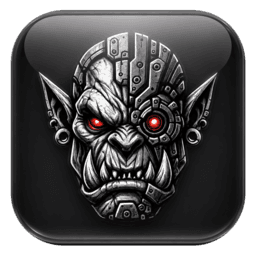
Buddy the Golem, Golmar the Orc, Nib the Goblin, Captain Barnacle the Pirate and Bolt the Robot are free for everyone. With Premium you can describe your own Buddy and create it, in the app or on videorc.com/buddy.
Make it Alive
A Buddy can move: it breathes, blinks, looks around and reacts to follows, subs, tips and raids. The five official Buddies are alive already, and Make it Alive (Premium) brings your own Buddy to life.
One library everywhere
The Buddies you make are saved to your Videorc account, with their moves, so the same Buddy is waiting on every computer you sign in to and on videorc.com.
Also in this release
- Import a takeover image while you are recording or live, then show it from Studio when you are ready.
- Channel point rewards and tips have their own background in Activity, and every row's menu stays inside the pane.
- Choosing no microphone sticks when you switch scenes or refresh devices.
- Your overlay positions are kept when you open the app.
- A vertical destination never gets your landscape stream by mistake.
- A source's Visible switch no longer flips back on its own.
- Videorc now sends one small anonymous event when a stream or recording starts and one when it stops (never stream keys, titles, chat or content), so we can count how many people stream each week. Turn it off under Settings, General, "Share anonymous usage stats".